
 Live Chat

Split Tunneling on Android
Introduction
Split tunneling lets selected Android apps skip the VPN. Banking apps, local TV apps, or a game that refuses VPN IPs are typical uses. Everything else still goes through the tunnel.
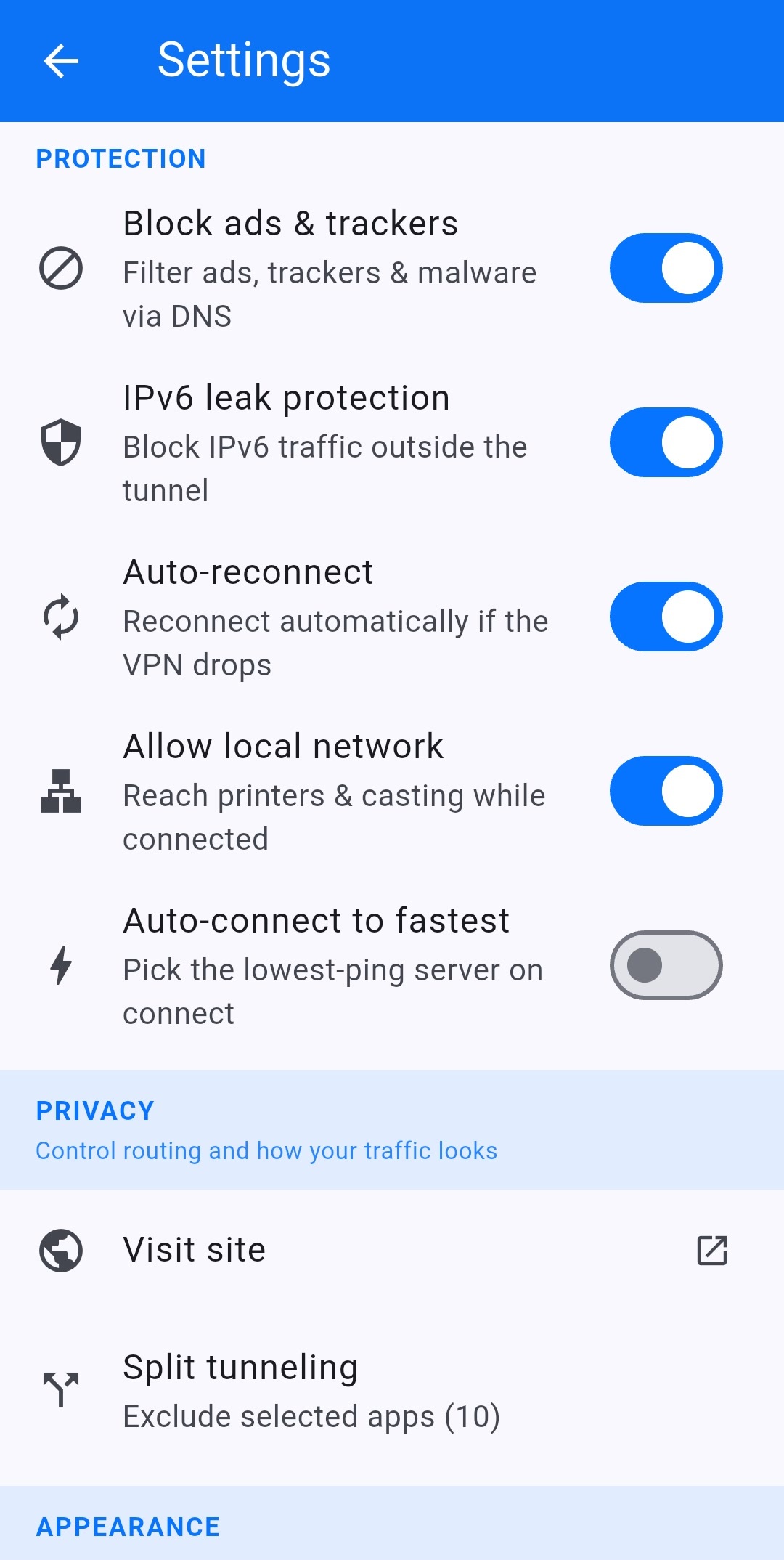
Exclude apps
- Open Settings and scroll to PRIVACY.
- Tap Split tunneling (the subtitle is Exclude selected apps and a count).
- Tick the apps that should use your real connection.
- Go back. The home screen chip shows Split tunneling (N).
The home screen chip is a shortcut to the same list. In the screenshots it shows 24 excluded apps on the home screen and 10 in Settings — the number is however many you ticked.
When not to use it
Do not exclude your browser if you want that browser protected. Do not exclude a torrent client if you want P2P on a P2P server. Split tunneling is a hole in the tunnel by design. Combine it with the kill switch for apps that stay inside the VPN.
This article is also in the client area knowledge base.