
 Live Chat

OpenVPN Connect Settings: Seamless Tunnel and Auto-start
Introduction
OpenVPN Connect has its own kill switch and start-on-boot options. These apply only when you use OpenVPN Connect, not the VPN Safe app.
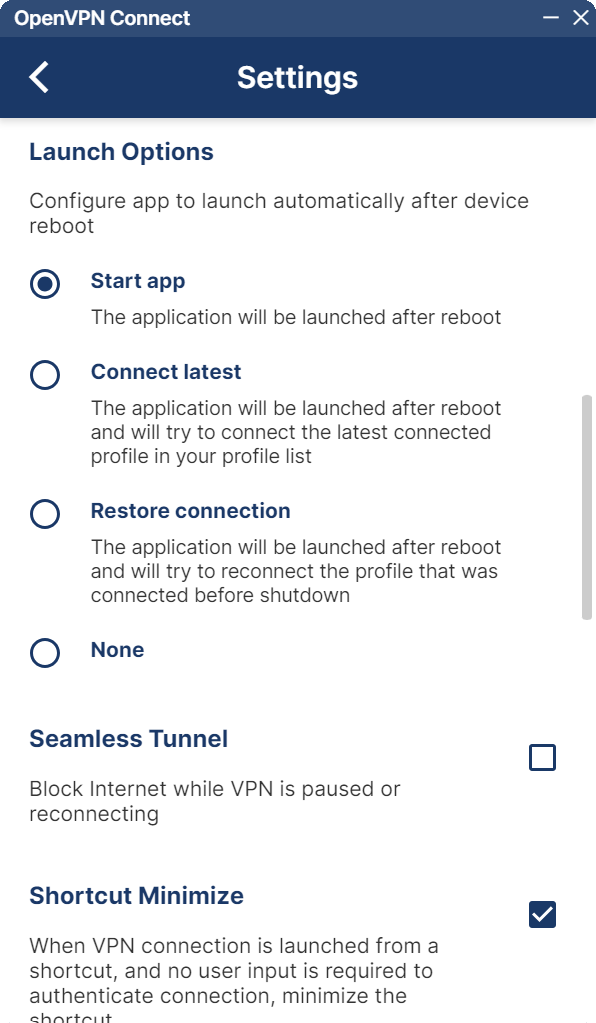
Seamless Tunnel
Tick Seamless Tunnel — Block Internet while VPN is paused or reconnecting. That is OpenVPN Connect’s kill switch. Use it the same way as Kill switch in the VPN Safe app.
Launch Options
- Start app — OpenVPN Connect opens after reboot but does not connect.
- Connect latest — Opens and connects the last profile in your list.
- Restore connection — Opens and reconnects whatever was up before shutdown.
- None — Do nothing at boot.
For a PC that should always be on the VPN, use Restore connection plus Seamless Tunnel. Connection Timeout in the previous Settings page (10s / 30s / 1 min / 2 min) is how long Connect waits before giving up; 1 minute is a sensible default on slow hotel Wi-Fi.
This article is also in the client area knowledge base.