
 Live Chat

Which Protocol Should I Use?
Introduction
VPN Safe apps expose five connection types. You only need to leave WireGuard when a network, a streaming library, or a block gets in the way.
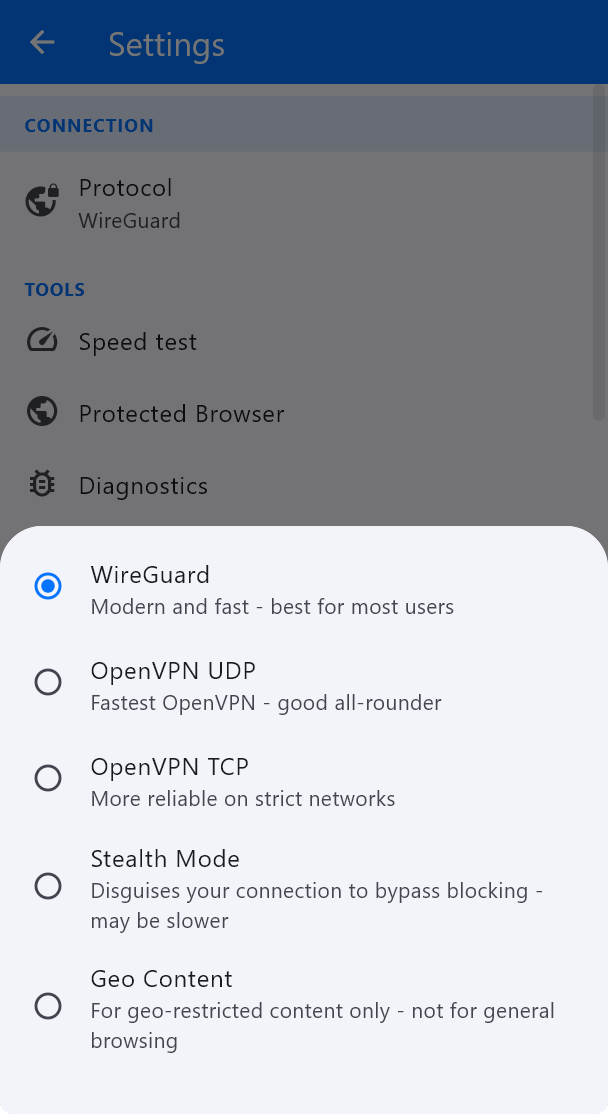
Quick chooser
- Everyday browsing, speed, mobile data — WireGuard.
- WireGuard blocked or flaky, still want speed — OpenVPN UDP.
- Hotel, airport, office, or UDP-filtered Wi-Fi — OpenVPN TCP.
- Network that detects VPNs and resets the connection — Stealth Mode (slower, looks like ordinary HTTPS).
- A specific streaming catalogue that needs a specialised endpoint — Geo Content in the Windows app. Not for general browsing. If the app says there are no Geo Content servers on the account, stay on a normal country server instead.
- Android / Android TV only, tunnel blocked but websites still load — HTTPS Proxy (routes via proxy servers only; not a full VPN tunnel).
Manual OpenVPN / WireGuard clients
The same logic applies outside our app: use the official WireGuard app + Client Area .conf when you want WireGuard; use vpnsafe.net/downloads/openvpn-udp.zip or vpnsafe.net/downloads/openvpn-tcp.zip with OpenVPN Connect when you want OpenVPN.
Always reconnect after changing protocol, then check vpnsafe.net/whats-my-ip.
This article is also in the client area knowledge base.