
 Live Chat

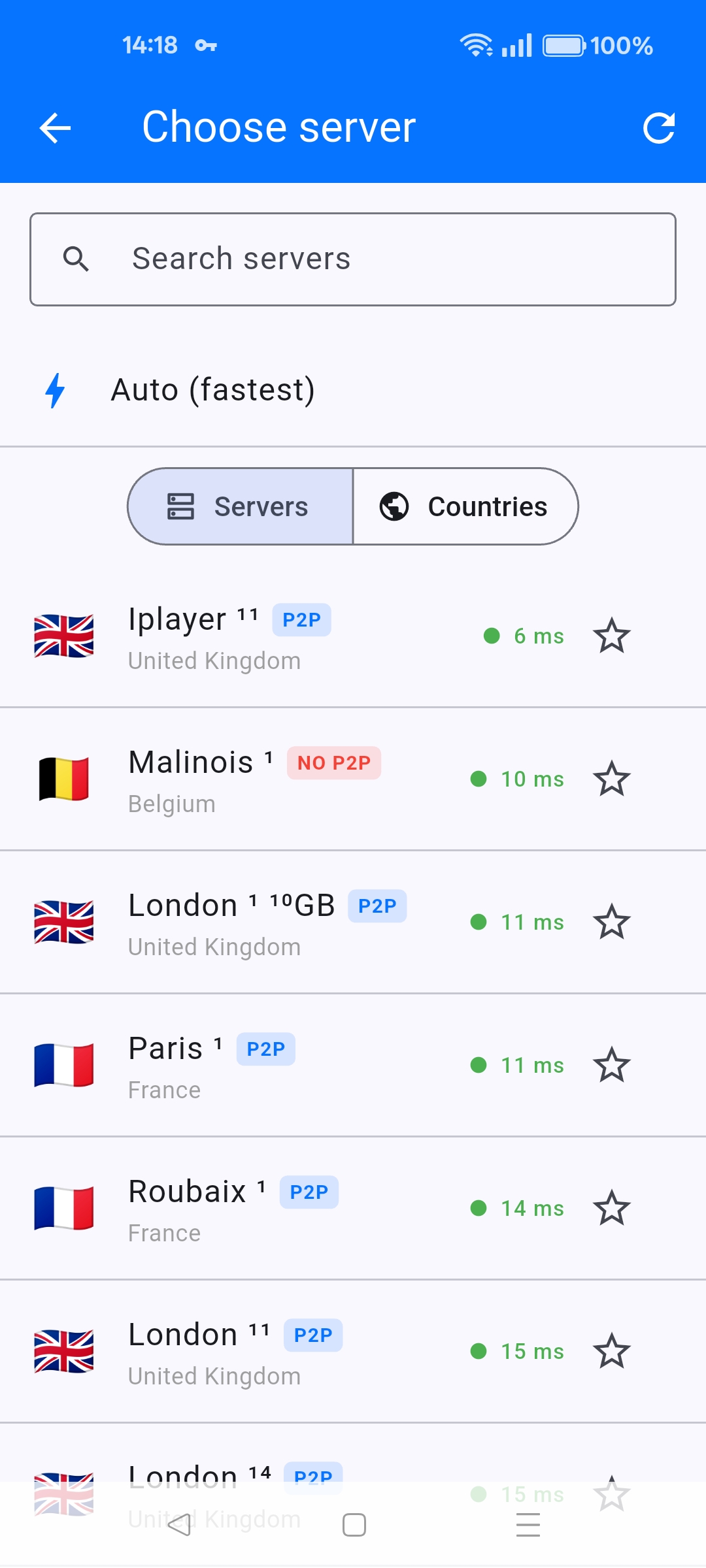
What P2P, 10GB and iPlayer Server Labels Mean
Introduction
The server list in every VPN Safe app tags some nodes. Those tags are how you pick the right city for torrents, bulk downloads, or UK TV.
P2P
A blue P2P badge means peer-to-peer is allowed. Use these for torrents and similar. A red NO P2P badge (example: Malinois 1) means do not run file sharing there — pick another city.
10GB / 10gb
A 10GB or 10gb tag is a 10 gigabit server (examples: London 1, Frankfurt, Brussels, Dublin). Use these when you care about throughput: large downloads, 4K, or many devices on one account. OpenVPN configs for those nodes are named like 10gb-ireland-dublin1.ovpn.
Iplayer
Iplayer is a UK streaming-oriented server. Try it when BBC iPlayer or similar UK services fail on a generic London node. If it still fails, see the existing article Troubleshooting BBC iPlayer and Netflix Access Issues with VPN.
Ping and offline
Green milliseconds = nearby. Orange/red = far. On Android TV a row can also say may be offline — skip it and refresh the list (circular arrow). Auto (fastest) ignores badges and picks the lowest ping, which may not be a P2P or iPlayer node, so do not use Auto when you need a specific tag.
This article is also in the client area knowledge base.